Practical guide · September climate
Read September warming with a Line chart
Reuse the complete portrait Line project to explore 47 September temperature anomalies. Keep the reference period and monthly scope clear. No file import is needed.
1. Start with the complete project
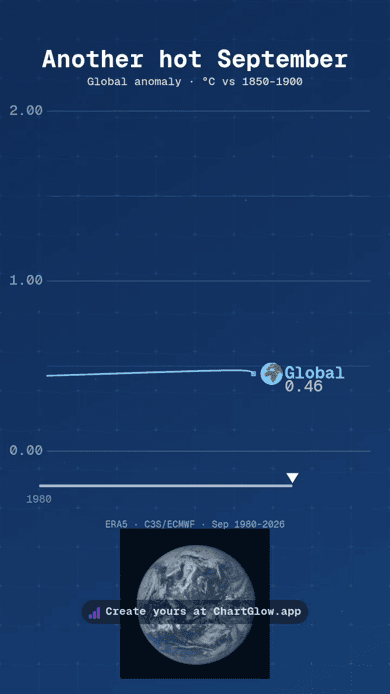
Open the complete September climate project and choose Use this project. Your separate copy keeps the native Line chart, portrait composition, illustrative NASA Earth photo and separate globe marker. Sign in if asked, then return to the same project and choose its Use button.
Customize the title or styling, preview your changes and wait for Saved before reloading. Check the title, years, °C reference and values at phone size. Keep the ERA5 · C3S/ECMWF credit and the image attributions.
For a fresh style, the September climate dataset provides the same data in a native Line starter. Its CSV download is optional; you do not need to import a file or rebuild the composition. Both paths preserve your existing work. Free accounts allow 5 saved projects; Free exports keep the ChartGlow watermark.
2. Read a September anomaly
The 47 September observations, 1980–2026, describe global surface-air-temperature anomalies in °C relative to 1850–1900. An anomaly is a difference from that reference, not the planet’s absolute temperature. Each year identifies its September monthly value; this is not a series of all twelve months.
A higher point means a warmer September relative to the same reference. A fall from one year to the next means that September’s anomaly was lower; it does not by itself describe the long-term trend. These are not annual averages, anomalies relative to 1991–2020 or projections. Do not mix reference periods. Keep Cumulative Sum OFF: adding temperature anomalies would change the meaning of the measure.
One month above 1.5°C does not establish a breach of the Paris Agreement’s long-term temperature limit. A monthly observation and a long-term warming assessment answer different questions. This chart alone does not establish causes or predict future temperatures.
Between yearly points, movement is visual interpolation, not extra observations. The existing mapping is Series → Entity, Year → Time, Anomaly → Value and Image → Series Image. The complete project displays two decimals; the underlying data keep their original precision.
3. Keep the source and credits
- Data: ERA5 · Copernicus Climate Change Service (C3S) / ECMWF, September anomalies from the primary CSV’s ano_pi field, updated 3 October 2026; September bulletin, 12 October 2026. Retain Copernicus attribution and the data terms in the saved source and image-rights record. This is a saved snapshot, not a live feed; later releases may differ. Read the C3S data and analysis notes for the reference-period method and the ERA5 monthly dataset for the underlying product.
- Background: NASA/DSCOVR EPIC, Earth, 6 July 2015, public domain in the U.S., resized, positioned and shown with adjusted opacity. This is an illustrative Earth photo, not a temperature measurement or a 2026 climate image. Follow NASA image-use guidance; no NASA endorsement is implied.
- Separate globe marker: Twemoji contributors / CC BY 4.0, resized unchanged artwork. It is a symbolic series marker, separate from the NASA photograph.

To make your own video, use the editor’s Export button and follow the MP4 export guide. You can also watch the existing September climate MP4 without creating another chart.